Adding Certification Activities
To add certification activities:
1. Click
Certification Activities from
the Registration and Tracking task category.
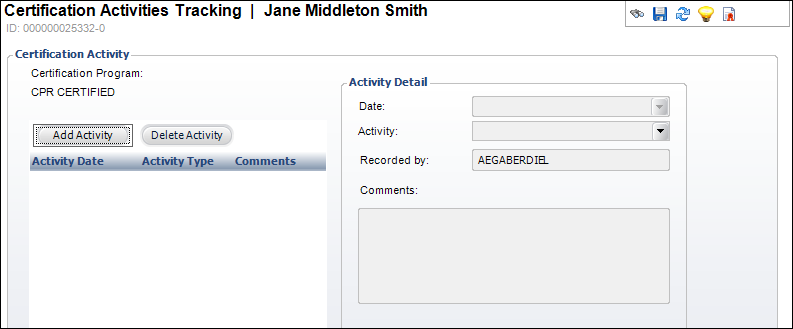
The Certification Activities screen displays, as shown below.
2. Click
Add Activity.
3. If
necessary, change the Date.
4. Select
the Activity from the drop-down.
5. Enter
Details about the activity.
6. Click
Save.
| Screen Element |
Description |
| Add Activity |
Button. When clicked, the Activity Detail fields are enabled
to add an activity for the certification. |
| Delete Activity |
Button. When clicked, the highlighted row from the table is
deleted. |
| Date |
Drop-down. The date the activity occurs. |
| Activity |
Drop-down. The type of activity. For example, Application Review. |
| Recorded By |
Read-only. This field automatically populates with the user
who entered the activity. |
| Comments |
Text box. Enter any comments associated to the activity. |
|